Hi, I'm back, I don't know if there was someone out there actually following this thing, but to that person I appologize, I started at a new job, college hitted (which is something I thought was not going to happen anymore when I only have 3 subjects left) and my parents came to visit me for a week, so I kinda didn't have much time to develop at all. also I'm having an "artist block" not that my pixel art is that good, but at least is ussually enough to make me feel satisfied with it, now it just feels bad, so I need to find a solution to that.
Regartless, the important update here is, I've been absent for two weeks, I haven't develop as much as I would have liked on that period, but I'll try to be back at this this week. I'm also probably moving the blog updates to sunday. In the meantime here's how little I've actually been developing on this time.
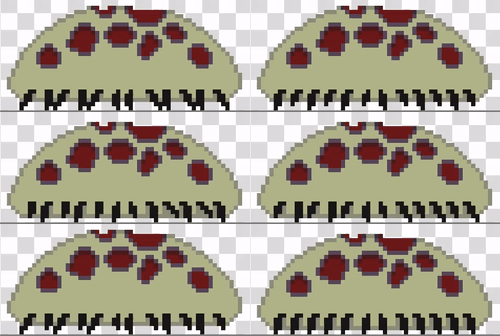
This time I wanted to start making the enemies, so I make this little ugly guy! The idea was for it to look ugly, that bit is cool, but I don't think it fits the aesthetics of the rest of the stuff, I think it comes down to some color theory principles that I never learned, so I have to study I guess.
And, with an enemy, I needed an attack, so I made this "slash" animation, the issue here is, I never made such a thing before so I was just going by my guts and I don't like the endc result, it feels... sqared? too robotic maybe, not fluid enough, idk, I'll have to work on it, but for now it is what it is, maybe I should search for tutorials on how to make this stuff. Either way I still believe that the art is just placeholders for now so not that it matters yet, it just means that'll have to put some extra effor on this.

I should also have some animation for the witch attacking, but I don't, as I said, didn't have much time so it goes into the TODO list I guess.
Here I did some extra work, I didn't wanted to have code repetitions among enemies, of course a parent class with all the base needs would solve this to a degree, but in my past experience developing I found that sometimes you want different enemies to behave similarly in some aspect (for example, bot explode when dying) but differently in others (One moves radomply, the other follows the player) so you think, "Oh, I'll make a class that inherits from the base enemy and explodes when dying, then each one inhgerits from that and implements the movement" but then you have another enemy that follows the player but doesn't explode, so you have the same code but you can't just inherit that. The solution is as "Strategy Design Pattern", which is when you have a class with some pointers to some standard functions, then you can changed the function you're pointing at for each enemy and the behaiviour changes, furthermore this means the behaiviour of an enemy can be dynamically changed by symply changing the function's pointer on runtime.
With that previous experience in mind I wanted to have something like this from the start, it makes the initial developing a little harsh, but it will help in the future. The issue is how to make this on Godot, I didn't found any implementations online so I had to figure it out on my self, and I think I did a decent job on this actually! Here's the code:
        extends CharacterBody2D

        @export var speed: float

        # MOVEMENT FUNCTION VARIABLES
        @export var mf_name: String
        @export var mf_args: Array
        @export var mf_markers: Array[Marker2D]
        var movement_function: Callable

        # DAMAGE RECEPTION FUNCTION VARIABLES
        @export var hp: int = 5
        @export var dmgf_name: String
        var hp_remove: Callable
        var current_dmg_source: Area2D = null


        func _ready() -> void:
        	if mf_name.is_empty():
        		mf_name = "dont_move"

        	if dmgf_name.is_empty():
        		dmgf_name = "basic_damage"

        	movement_function = Callable(self, mf_name)
        	hp_remove = Callable(self, dmgf_name)
Here the "mf_name" variable is the name of the movement function implementation to use, then "movement_function" is loaded with the function of that same name, of course this could produce an error if there's no function with that name so I'll probably implement some macros to hold the names in the future to ensure no typos.
After the functions all loaded they're called when necessary like this:
        # The move function is called on every frame
        func _physics_process(_delta: float) -> void:
        	_move()

        # The damage function is called when colliding a with somethin that can produce damage (collision with other enemies is prevented with collision masks)
        func _on_dmg_detection_area_entered(area: Area2D) -> void:
        	if area.is_in_group("dmg"):
        		_hp_remove(area.dmg)
        		current_dmg_source = area

        func _move() -> void:
        	movement_function.call()
        	move_and_slide()

        func _hp_remove(dmg: int) -> void:
	        hp_remove.call(dmg)
The reason why I have the intermediate "_move" and "_hp_remove" functions is just in case I want to implement some standard action, for example for the _move() function I call move_and_slide after calling movement_function.call() regarthless of the implementation.
Finally I made 2 implementations of the movement_function callable and 1 of the hp_remove callable.
        # --------------------- MOVEMENT FUNCTIONS --------------------------------

        # For static enemies
        func dont_move() ->d:
        	pass

        # Moves between a set of Marker2D objects, only on the x axes
        func back_n_fort() -> void:
        	var destination = mf_markers[mf_args[0]].position
        	position.x = move_toward(position.x, destination.x, speed)
        	if position.x == destination.x:
        		mf_args[0] = (mf_args[0] + 1) % mf_markers.size()

        # ------------------------- DAMAGE FUNCTIONS --------------------------------

        func basic_damage(dmg: int) -> void:
        	hp -= dmg
        	if hp <= 0:
        		queue_free()
The basic_damage() function is still not really ready since it still needs to implement some animations, specially after the enemy dies, but it's something.
Regarding the movement functions, notice that the back_and_fort() function uses the mf_markers and mf_args variables. mf_args could be a standard thing, regarthless of whether the function needs arguments or not it's something to be expected I guess, but the mf_markers are just the Marker2D used by this function, other functions might not need markers at all, or more importantly, might need markers too, so if an enemy switched behaiviour now the markers need to be updated or it might not behave as expected, so that's not ideal. The easy solution is to have a set of variables asociated to each function, but then every enemy will have a ton of exported variables that doesn't need. On that line, each enemy will have access to all this functions but will only use a set of them, I don't know if that's a real issue, I'm thinking memory usage, useless variables will take space on memory, but idk if that applies to functions too.
Either way I think the solution is to move the function definitions to other scripts with the required variables, then each enemy loads the functions from the scripts it needs, but then the variables can't be exported as usual, so that's another issue. For now it works and if it works it works, but I might make some changes in the future.
For the player's attack I just added this to the _physics_process() function.
        	if Input.is_action_just_pressed("attack_a"):
        		var attack = attack_a_scene.instantiate()
        		attack.position = $AttackSpawn.position
        		attack.rotation = (PI/2) - (PI/2) * last_direction
        		add_child(attack)
Where "attack_a_scene" is a PackedScene, the "a" in the middle is because I'm thinking of having some secondary attack or a ranged attack in the future. If I end up havinf a melee and a ranged that will be changed to "attack_melee" and "attack_melee_scene", but for now "a" it is.
The slash script it self is pretty simple, just have a "dmg" varieble for the enemies to take and remove it once the animation finishes.
        extends Area2D

        @export var dmg: int = 1

        func _on_animated_sprite_2d_animation_finished() -> void:
        	queue_free()
New section! Given how little time, level design felt like the thing that I had the most time to do, not that is necessarly easier that the other stuff, but with the building blocks already done it's something I can play with whitout putting much time into it. So here come some screens I made, this are not all of them of course but they are the ones that feel the most polish I guess.
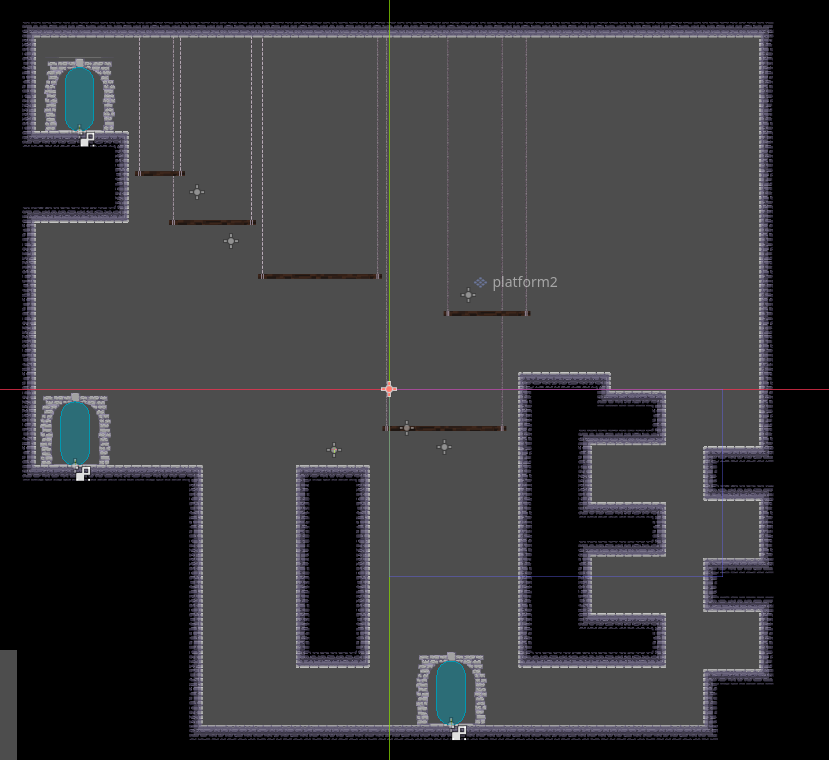
This is meant to be the main screen, the map is random, but this is always the first room. The platforms on the sides are reactive, they go up when the player steps on them. I wanted something that grows on all directions, so the initial path feels relevant, of course that alse means that I'll have to make each path have something relevant enpough otherwise it'll fell like a waste, but that's a problem for the future. For now I think this simple, but good enough, although I'm not sure about the way the doors on top are placed.
With this 3 rooms I was testing where it made sense to have optional objects.
On the first one the platform could be made optional, but that would make it imposible to reach the upper path without doulbe jump or wall jump, so not a good idea.
On the second one the platforms are totally optional, there's no need to go up there, but then again, there's no need to go up there. So maybe some enemies could help here, the way you approach the enemies might change depending on wheather you got platforms or not. I also made the spikes optional, but that doesn't feels right so I'll probably change that.
Finally the third room makes every other platform optional, there's always enough platforms to get to the upper path but if you got the minimun amount of platforms, don't have double jump nor wall jump and your jump height is low it'll be a little more annoying, while if you have wall jump or double jump it'll be irrelevant. I like tha fact that the upgades can completely bipass some challenges, but I'll also want to have some rooms that are challenging even with upgrades, the upgrades should provide some help, but not fully bypass the whole challenge every time.
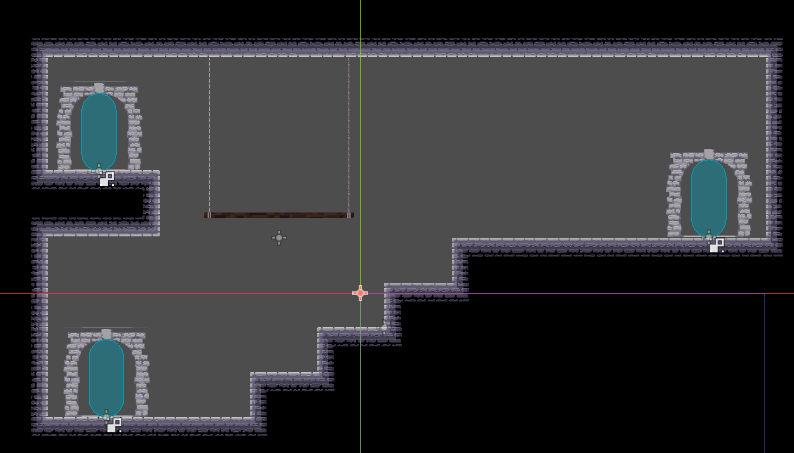
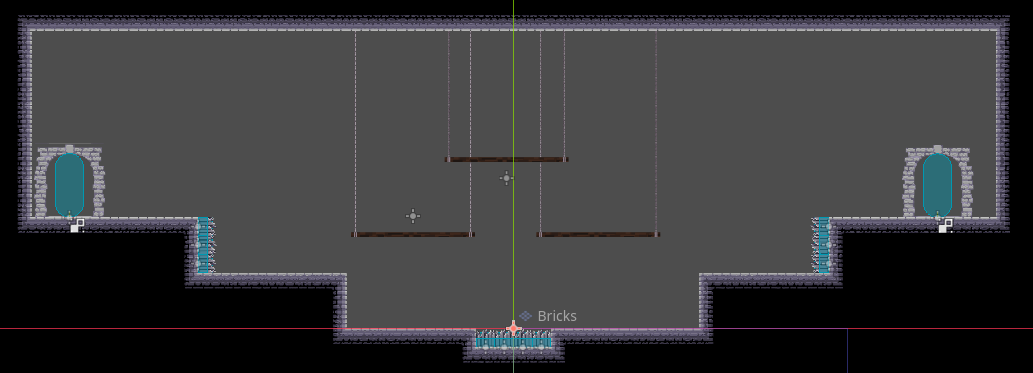
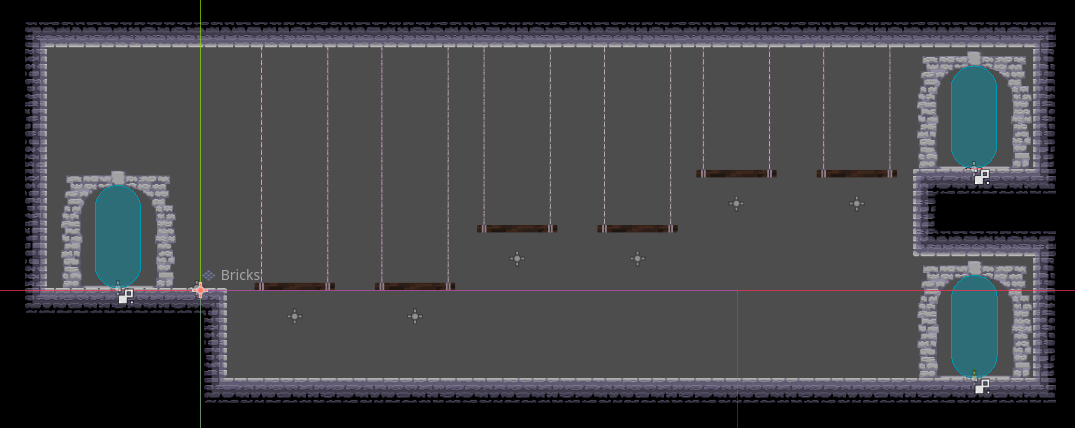
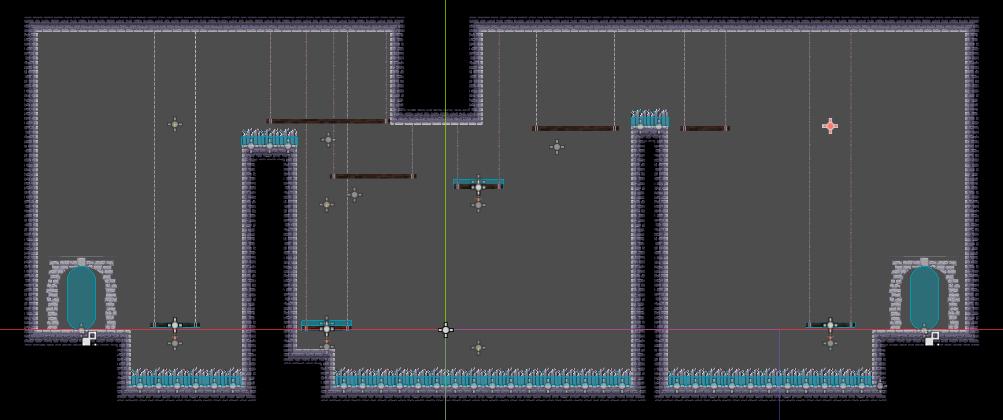
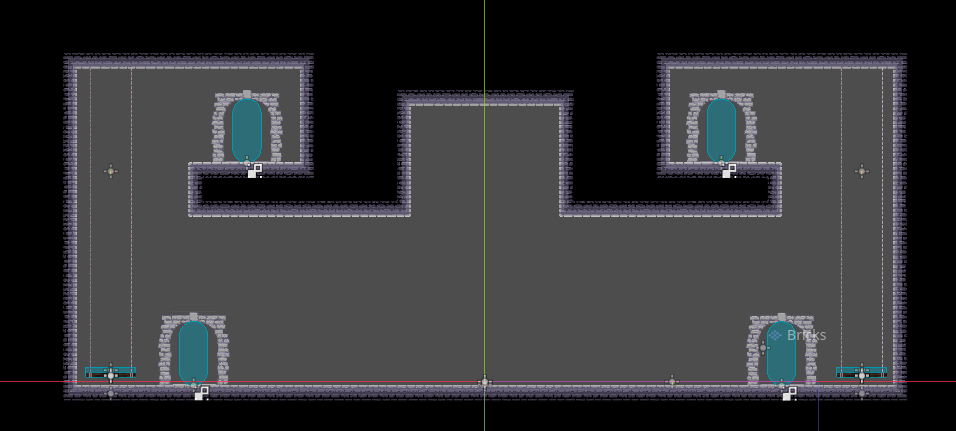
And here's my attempt to make some rooms that change the whole feeling depending on the upgrades without fully bypassing the challenge.
The first one has some annoying stairs on the left for players with no upgrades, but a player with upgrades can get up immediatly to the second door using wall jumps. Also the platforms have some randomness on their positions, so somethimes the jumps will be more challenging without double jump, but ideally they're always possible.
The second one forces the player to do some parkouring with the added threat of the spikes. The platforms on the side are moving platforms, a player with wall jump and doulbejump or dash can bypass them, otherwise the player should wait for the platform. The platform on the middle is a reactive one, it falls when the player steps on it, so they should jump out of it as soon as they step on it, otherwise they have to use the platform on the right (also reactive) to go back up, it's challenging regartless of the upgrades, but a player with dash going from left to right can actually avoid stepping on the platform. Also, I'm just thinking of this now, but the reactive platform to go back up should be on the left, it's already easier to go from left to right, the help shoud be on the other direction, additionally it could go up enought to reach the middle trap again but not up enough to reach the top left platform, forcing the player without upgrades to repeat the challenge until they figure it out.