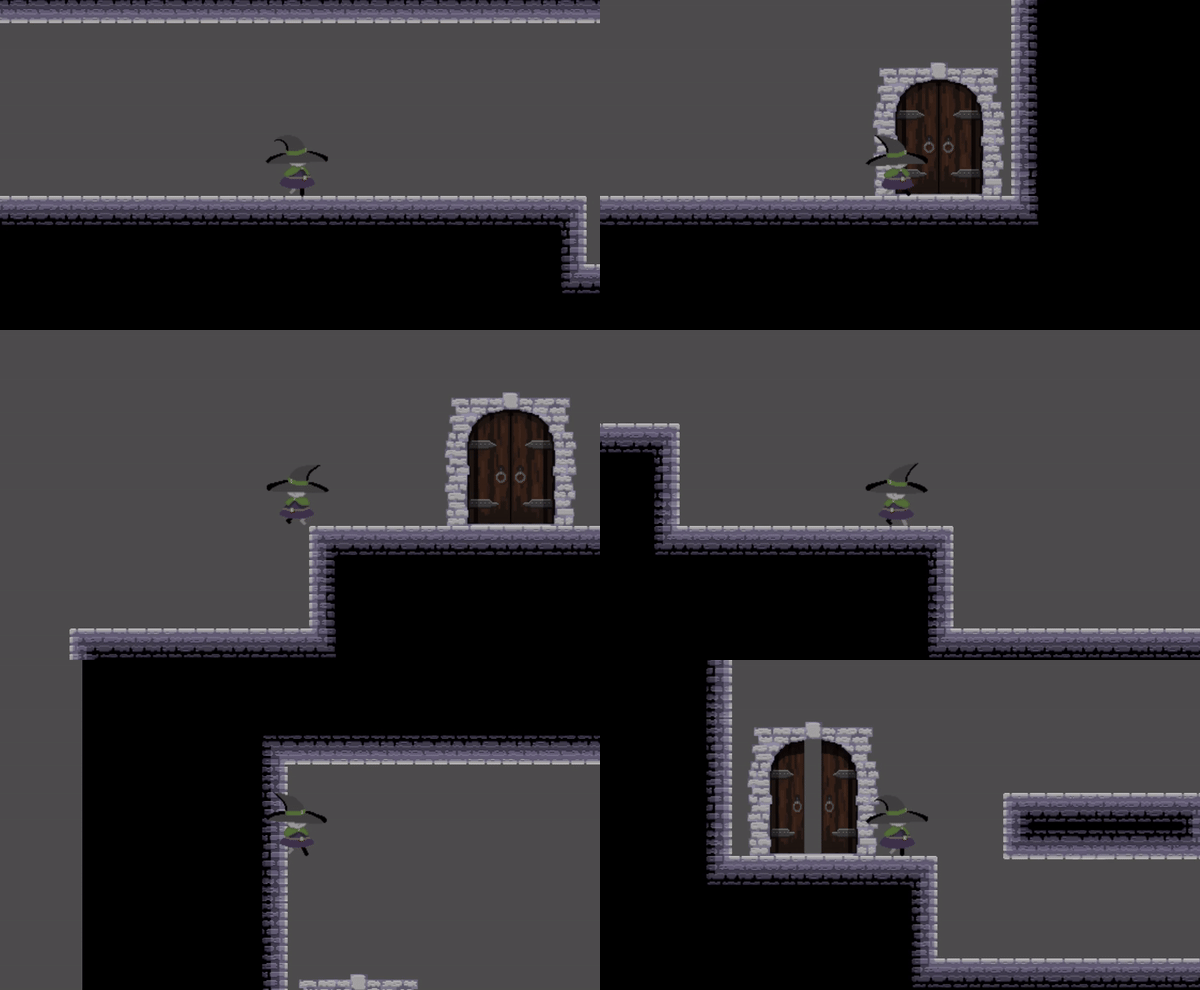
I'm updating this one a little late, it's been a long day but I still wanted this to be done, I found myself waiting to write the next entry of this blog the whole week so yeah, I think this might be working. Anyway, nothing much to say so I'll just jump into the dev stuff.
A lot has changed, for starters I'm considering completly discarding the "brick platform" tileset from the previous week, instead I'm just using the base "brick tileset" for both the general structure and the platforms, I'm sure this will change in the future as I add more interesting platforms but for the moment I needed to focus on other stuff. That said I did improved the tilset, so now it looks like this:
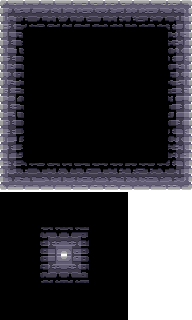
So, I added some volume to the bricks which I feel like it's better, and complete the set with the roof.
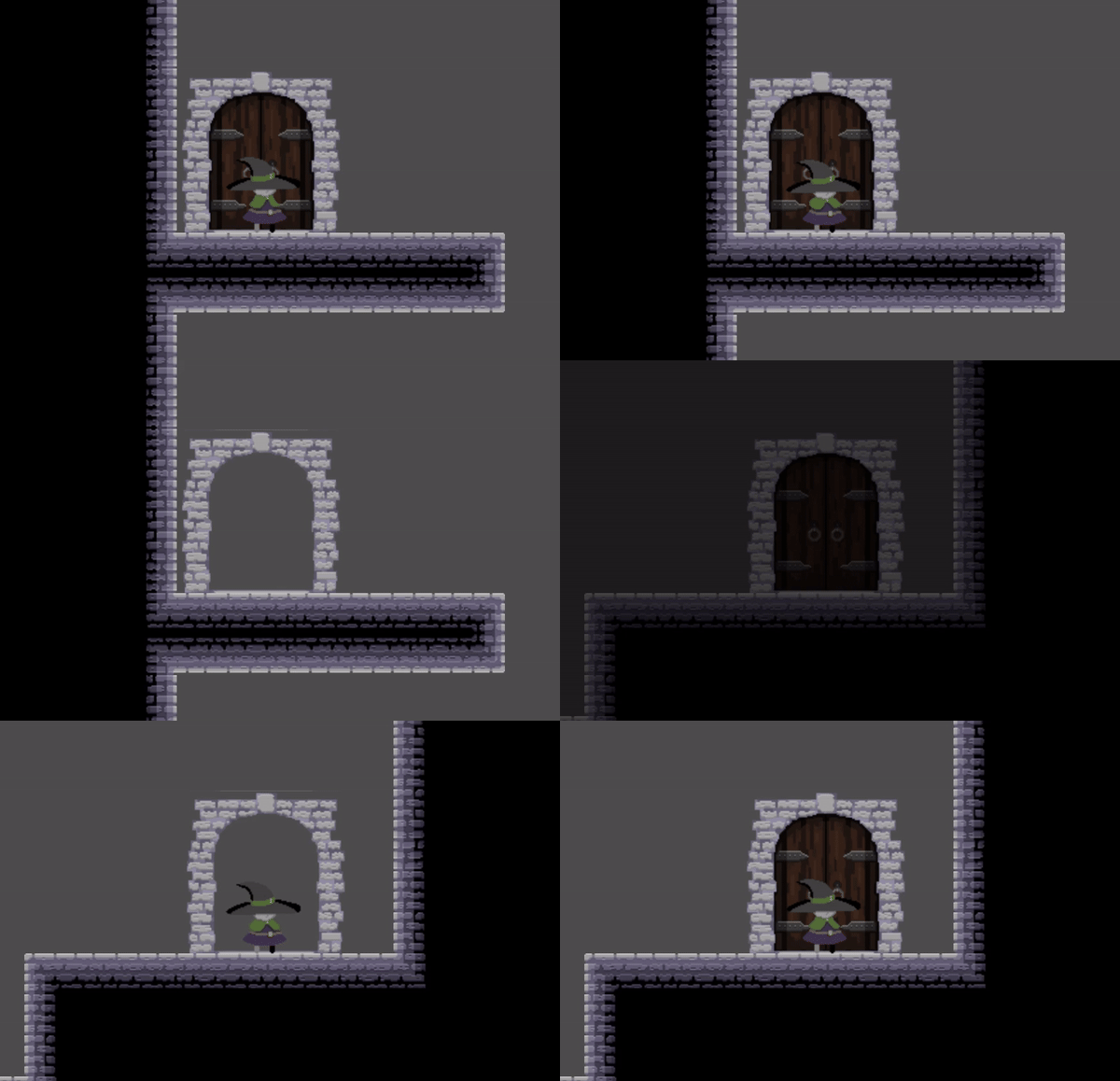
Also the door got updated and animated, the animation can be seen below, the update was only about the bricks on the side, they look better but I still feel like they don't kite feet with the rest, so still a work in progress.
Besides that the character has also went trhough some transformations, and this ones are a little more radical. I did mention on the first entry that I needed her to be tinier, so I did that, 3 times, because I just didn't vibe with the end results, but I managed to find one that I kinda like. I still expect some improvements and changes in the future, but the end result is this:
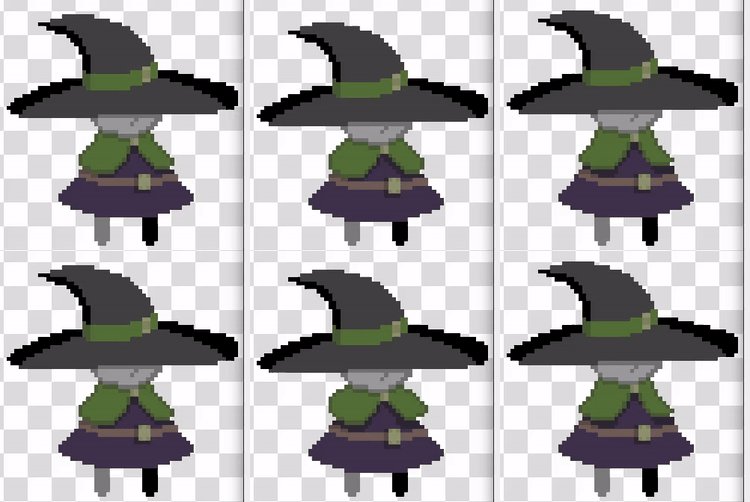
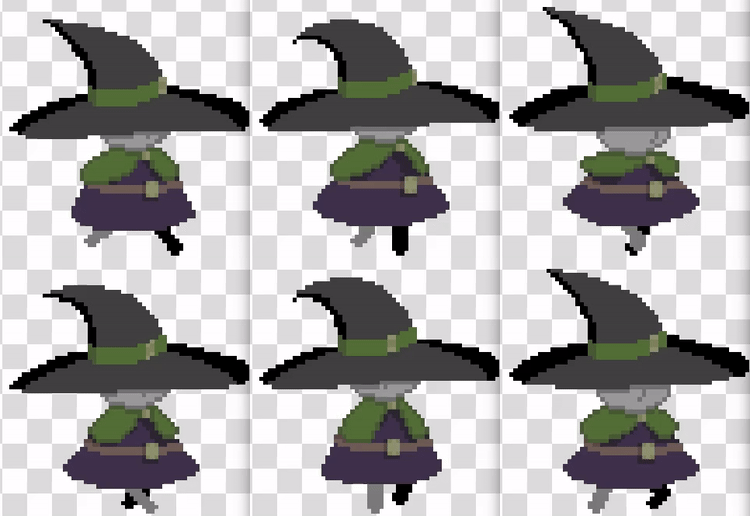
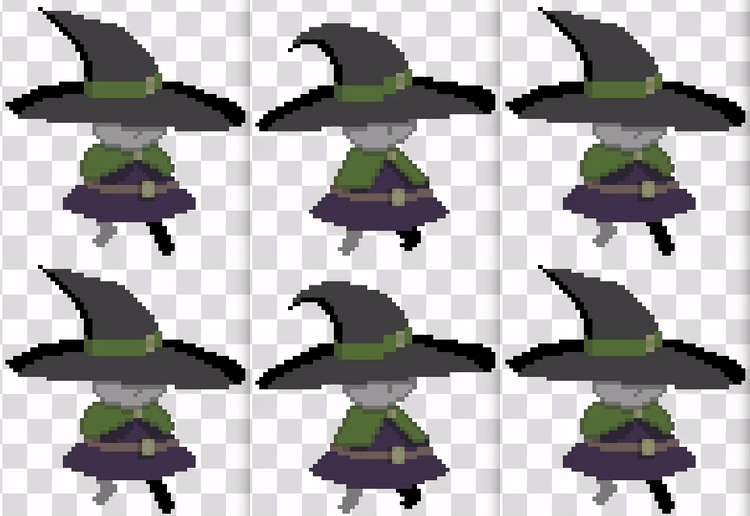
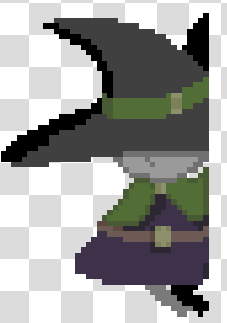
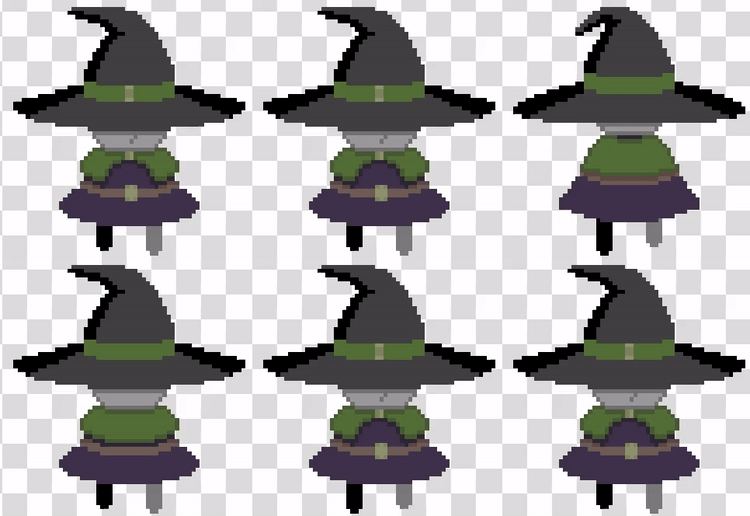
And that's for the art, of course I'm only showing the last iterations but both the tileset and the animations went trhough a lot of changes and failed attempts until I found something that I liked (That I like now but I know will change in the future lol*)
starting with the character I improved the moveset by adding a wall jump and a "coyote time" wich is when the player is allowed to jump a few moments after they leaved the platform. I also moved all the "jump" code to a single function.
        func handle_jump() -> void:
        	# When the player is on the floor it can always jump
        	if is_on_floor():
        		remaining_air_jumps = MAX_AIR_JUMPS
        		if Input.is_action_just_pressed("jump"):
        			leaved_floor = true
        			velocity.y = JUMP_VELOCITY
        			return
        		leaved_floor = false
        	else:
        		# leaved_floor is false when leaving the platform without jumping
        		if not leaved_floor:
        			$Coyote.start()
        			coyote_jump = true
        			leaved_floor = true
        		if Input.is_action_just_pressed("jump"):
        			# Wall jumps push the charater horizontally and reset air jumps
        			if is_on_wall_only() and velocity.y > 0:
        				remaining_air_jumps = MAX_AIR_JUMPS
        				last_direction = last_direction * -1
        				velocity.x = WALL_JUMP_X_VELOCITY * last_direction
        				$PlayerBodyAnimation.flip_h = last_direction < 0
        				velocity.y = JUMP_VELOCITY
        				return
        			# Coyote jump allows a free air jump when just leaving the platform
        			if coyote_jump:
        				coyote_jump = false
        				velocity.y = JUMP_VELOCITY
        				return
        			# Air jumps
        			elif remaining_air_jumps > 0:
        				remaining_air_jumps -= 1
        				velocity.y = JUMP_VELOCITY
        				return
I did the same of moving all the logic to one function with the animations.
        func handle_animations() -> void:
        	if blocked:
        		return
        	if not is_on_floor():
        		if is_on_wall() and velocity.y > 0:
        			current_animation = "Wall"
        		elif velocity.y < -AIR_ANIMATION_RANGE:
        			current_animation = "Jump"
        		elif velocity.y < AIR_ANIMATION_RANGE:
        			current_animation = "Air"
        		else:
        			current_animation = "Fall"
        	else:
        		if velocity.x == 0:
        			current_animation = "Idle"
        		else:
        			current_animation = "Walk"
Besides the player, I make the first iteration of the random map generation! This one i really liked making, except for the part when I found a bug five minutes ago and had to fix it before making this post (lol) but now it works!
        func get_random_screen(base_path: String, min_idx: int, max_idx: int) -> Node2D:
        	# Get random index to generate the path
        	var screen_no = str(randi_range(min_idx, max_idx))
        	var path = base_path + "screen_" + screen_no + ".tscn"
        	# Instantiate the node
        	return load(path).instantiate()

        func connect_door(door: Node2D, next_screen: Node2D = null) -> Node2D:
        	# Generate a new screen
        	if !next_screen:
        		next_screen = get_random_screen(PATH_TO_SCREENS, MIN_SCREEN, MAX_SCREEN)
        		map.append(next_screen)
        	# Connect the door to the next screen
        	door.connect_to_screen(next_screen)
        	door.screen_changed.connect(_change_screen)
        	return next_screen

        func gen_screen_connections(screen: Node2D, seal: bool) -$gt; void:
        	var door_list = screen.get_door_list()
        	# Connect every door on the current screen
        	for door in door_list:
        		# Don't override pre-existing connections
        		if door.is_door_connected():
        			continue
        		# Connect the current door and a door from the next screen
        		var next_screen = connect_door(door)
        		connect_door(next_screen.get_random_door(), screen)
        		# Seal extra doors
        		if seal:
        			next_screen.seal_unconnected_doors()

        func gen_map() -> void:
        	var current_depth = 0
        	var next_depth = 0		# screens on the map until next depth update
        	var i = 0
        	var seal = false		# If true, doors on new screens will be auto-sealed
        	while true:
        		# Stop once all screens have been connected or sealed off
        		if i > map.size() - 1:
        			break
        		# Generate screen connections for the next screen on the map
        		gen_screen_connections(map[i], seal)
        		# Update map depth
        		i += 1
        		if i > next_depth:
        			current_depth += 1
        			next_depth = map.size() - 1
        		# If full depth was explored seal all unconnected doors
        		if current_depth >= MAP_DEPTH - 1:
        			seal = true
        			next_depth = INF
So, for each room in the map it calls the "generate_connections" function, this function checks creates new rooms on the map and connects then with the current room via a door, then it repeats for each door, and then the whole process is repeated for each room, but if the rooms keep being created when do we finish? That's why we used the "depth" of the map! Each consecutive room after the first one is considered to be 1 level deeper, so all branches have the same lenght (or depth) and once a room is created on the MAP_DEPTH level, we "seal" (remove) all the doors that are not yet connected to another room.
The "get_random_screen" function returns a random room from all the available ones on a particular folder, but there's a weakness to this whole method, rooms are always loaded on RAM, and that might be a problem, specially once I start adding actual stuff to the rooms, so for next week one of the main objectives is to unload/load rooms as we need them instead of having them all loaded all the time.
Lastly, the player can interact with doors to move to a new room, the whole deal is coordinated between the player, the door and a "run_manager" node so the proper animations and transitions occur on the correct order. For that the player has an Area2D node that detects the Area2D of the door and stores it like this:
        func _on_action_detection_area_entered(area: Area2D) -> void:
        	if area.is_in_group("actionable"):
        		active_action = area


        func _on_action_detection_area_exited(area: Area2D) -> void:
        	if active_action == area:
        		active_action = null
The when the player presses the action button (up) calls the "action" function of the door (which should be present on all nodes from the "actionable" group) which in itself sends a signal that the run_manager captures. Then the run_manager waits for the proper animations to end, swicthes screens and calls the proper functions so teh next animations are played. I realized this is a lot of code snippets from different scripts communicatin with each other, so maybe is better to leave a gif here.
So, that's all for this week, I'll leave you with a showcase gif and I'll go eat something, bye bye <3